Claude Code’s Agentic Toolkit
A comprehensive guide to the tools reshaping AI-assisted software development

Introduction
Anthropic’s Claude Code has evolved from a conversational AI assistant into a comprehensive agentic development environment. With the release of Opus 4.5 and an expanding ecosystem of tools, the platform now offers capabilities that fundamentally change how developers interact with AI during the software development lifecycle.
This article examines the key components of Claude Code’s agentic toolkit, their technical implementations, and practical applications.
Model Architecture and Selection
Claude Code operates with three distinct model tiers, each optimized for different use cases:
Opus 4.5 represents Anthropic’s most capable model, designed for complex reasoning tasks. It handles multi-file architectural decisions, strategic planning, and nuanced code generation. The model excels at maintaining coherence across large codebases and understanding implicit requirements.
Sonnet 4 serves as the default model for everyday development tasks. It balances speed and capability, making it suitable for most coding operations without the computational overhead of Opus.
Haiku 3.5 provides rapid responses for straightforward tasks such as syntax corrections, simple refactoring, and quick file searches. Its lower latency makes it appropriate for high-frequency, low-complexity operations.
Developers can switch between models using the /model command, allowing dynamic optimization based on task requirements.
Cartographer: Automated Codebase Documentation
Cartographer is a built-in skill that generates comprehensive documentation of project structure and architecture. When invoked with /cartographer, the system:
Traverses the entire project directory structure
Analyzes file contents and relationships
Identifies coding patterns and conventions
Generates a
CODEBASE_MAP.mdfile containing architectural documentation
The resulting documentation serves as persistent context that Claude can reference throughout development sessions. This addresses a fundamental limitation of large language models: the inability to maintain awareness of large codebases within context windows.
Technical implementation: Cartographer uses a combination of static analysis and pattern recognition to categorize files by purpose, identify dependency relationships, and extract naming conventions.
RIPER-5: Structured Development Protocol
RIPER-5 is a five-phase development methodology implemented as a Claude Code skill. The acronym represents:
Research: Information gathering phase where the AI explores the codebase, reads documentation, and understands requirements without making modifications.
Innovate: Brainstorming phase for generating potential approaches. Multiple solutions are considered with their respective trade-offs documented.
Plan: Specification creation phase where the selected approach is documented with implementation details, file changes, and testing strategies.
Execute: Implementation phase following the approved plan. Code changes are made according to specifications.
Review: Validation phase where implemented changes are tested against requirements and potential issues are identified.
Each phase has explicit entry and exit criteria, preventing premature implementation and ensuring thorough analysis before code changes.
Commands:
/riper:research- Enter research mode/riper:innovate- Begin brainstorming/riper:plan- Create specifications/riper:execute- Implement changes/riper:review- Validate implementation/riper:workflow- Guided full workflow
Skills Ecosystem
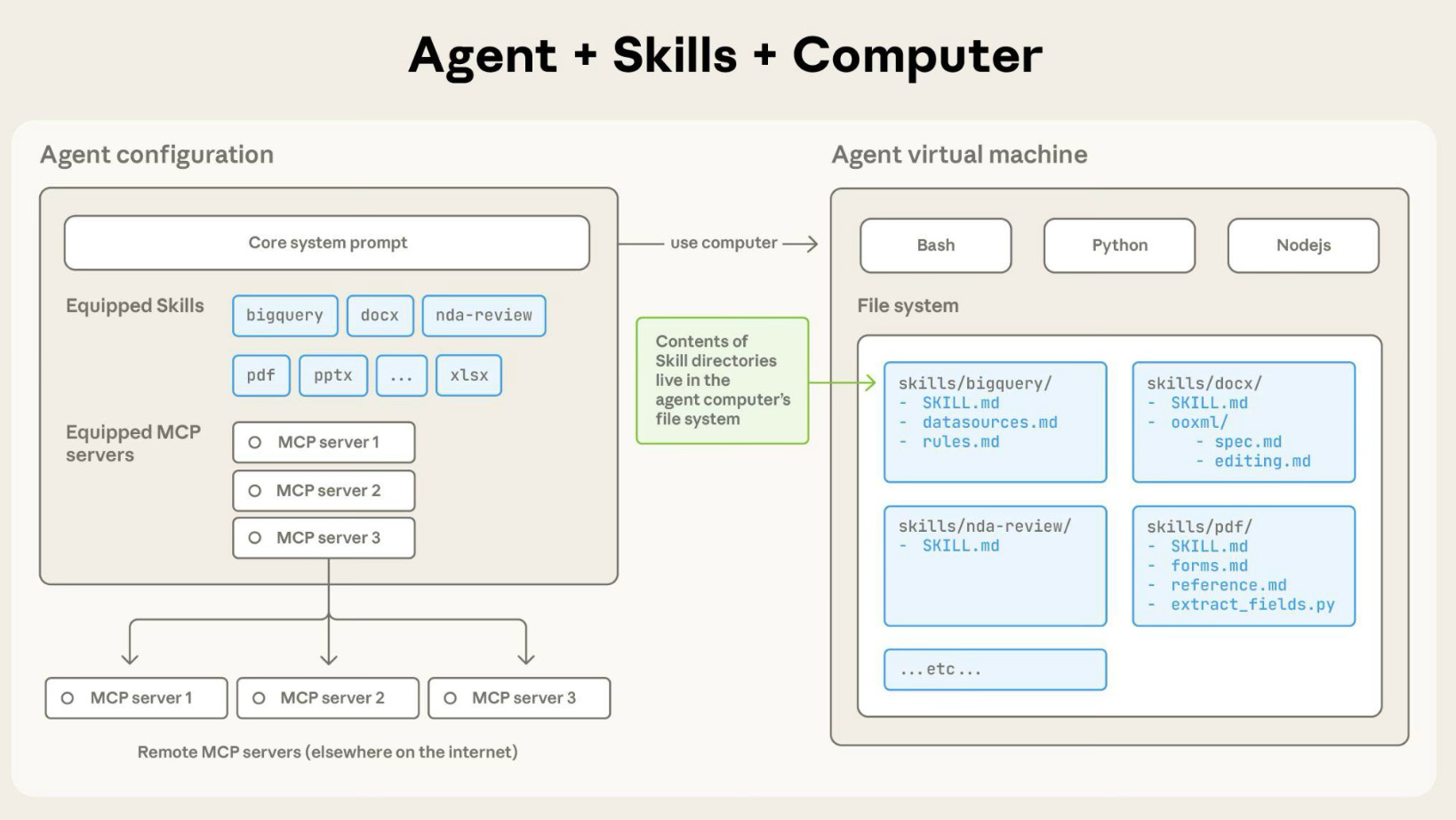
Claude Code supports an extensible skills system allowing community-contributed capabilities. As of January 2026, over 2,300 skills are available through community registries.
Installation syntax: /plugin install [skillname]@[registry]
Notable skills include:
SkillForge is a meta-skill for creating new skills. It provides templates, validation, and publishing workflows for developers who want to contribute to the ecosystem.
Skills operate through a defined interface that specifies available commands, required permissions, and integration points with Claude Code’s core functionality.
Awesome Skills Link
Subagents: Parallel Execution Architecture
Subagents are specialized Claude instances that operate with independent context windows. This architecture addresses several technical challenges:
Context isolation: Each subagent maintains its own context, preventing token accumulation that degrades output quality in long sessions.
Tool specialization: Subagents can be configured with specific tool access. An exploration subagent might have read-only access, while an execution subagent has write permissions.
Parallel execution: Multiple subagents can operate simultaneously on independent tasks.
Built-in subagent types:
Explore: Read-only access to Glob, Grep, and Read tools. Optimized for codebase searches.
Plan: Research-focused agent for planning mode operations.
General-purpose: Full tool access for complex multi-step tasks.
Subagents can be configured to use different model tiers. A common pattern uses Haiku for exploration tasks and Opus for complex reasoning, optimizing both cost and capability.
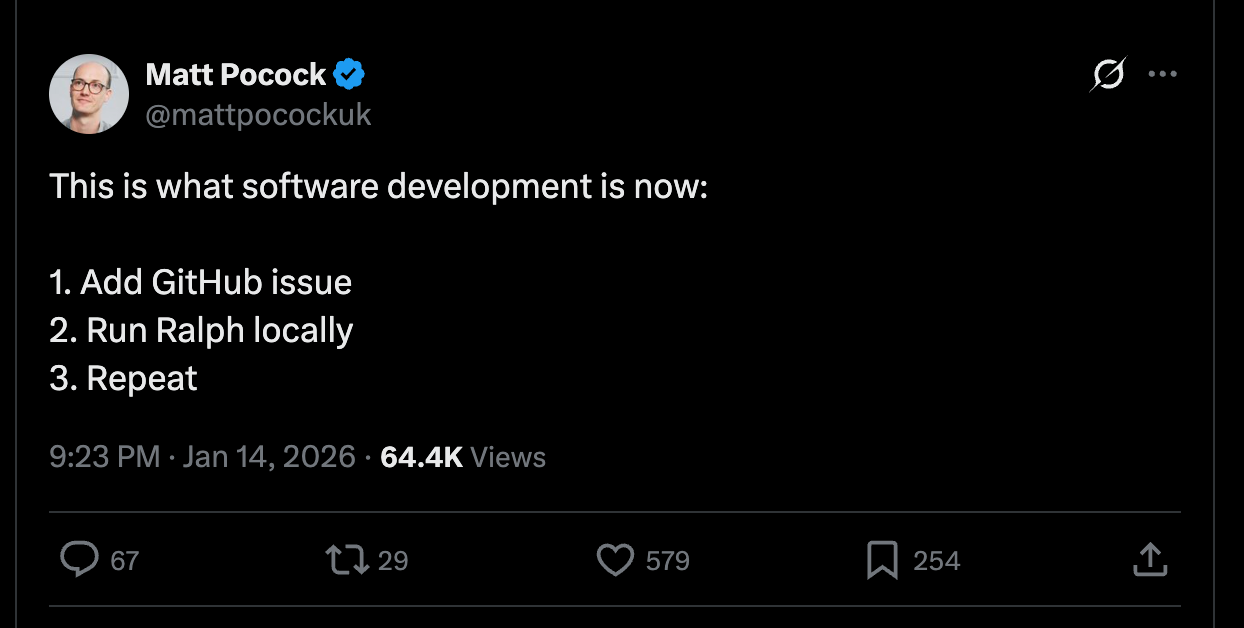
Ralph: Autonomous Loop Execution
Ralph implements a stop-hook architecture enabling extended autonomous operation. The system operates through the following mechanism:
A prompt is submitted with a completion promise (a specific string indicating task completion)
Claude processes the prompt and generates output
When Claude attempts to exit, a stop hook intercepts the termination
If the completion promise is not detected in the output, the original prompt is resubmitted
The loop continues until the completion promise appears or a maximum iteration count is reached
Key technical detail: While the prompt remains constant across iterations, file system changes persist. Each iteration sees the cumulative results of previous work, enabling progressive refinement.
Command syntax:
/ralph-loop "[task description]" --completion-promise "[signal]" --max-iterations [n]
Claude Agent SDK
The Claude Agent SDK provides programmatic access to Claude Code’s capabilities for integration into external systems. Available in Python and TypeScript, the SDK exposes:
Core tools: Read, Write, Edit, Bash, Glob, Grep, WebSearch, WebFetch
Configuration options:
Tool access permissions
Model selection
Session management
Hook registration
Example implementation (Python):
from claude_agent_sdk import query, ClaudeAgentOptions

async for message in query(
    prompt="Analyze test coverage in src/",
    options=ClaudeAgentOptions(
        allowed_tools=["Read", "Glob", "Grep"],
        model="haiku"
    )
):
    process(message)
The SDK enables integration patterns including:
CI/CD pipeline automation
Custom development environments
Batch processing systems
Monitoring and alerting integrations
MCP (Model Context Protocol)
MCP provides a standardized interface for connecting Claude to external data sources and services. Supported integrations include:
Database connections (PostgreSQL, MySQL, MongoDB)
Browser automation (Playwright, Puppeteer)
API endpoints
File system extensions
Custom data sources
MCP servers run as separate processes, communicating with Claude through a defined protocol. This architecture allows Claude to query external systems without embedding credentials or connection logic in prompts.
Practical Workflow Integration
A typical development workflow incorporating these tools might follow this pattern:
Session initialization: Run
/cartographerto generate current codebase documentationTask analysis: Use
/riper:researchto understand requirementsSolution design: Apply
/riper:planto create implementation specificationsExecution: Use Opus 4.5
Batch operations: Deploy Ralph loops for building large features autonomously
Validation: Run
/riper:reviewwith webapp-testing skill for verification.
Conclusion
Claude Code’s agentic toolkit represents a significant evolution in AI-assisted development infrastructure. The combination of multi-model architecture, specialized subagents, autonomous loops, and an extensible skills ecosystem provides capabilities that extend well beyond conversational code generation.
The effectiveness of these tools depends heavily on understanding their appropriate applications and limitations. Developers who invest in learning the system’s architecture can achieve substantial productivity improvements, particularly for large-scale or repetitive tasks.
As the ecosystem continues to expand through community contributions, the platform’s capabilities will likely grow correspondingly. The Agent SDK’s availability suggests Anthropic’s intention to position Claude Code as infrastructure for broader AI development workflows rather than solely as an interactive coding assistant.
Resources
Claude Code Documentation: https://docs.anthropic.com/claude-code
Agent SDK Reference: https://docs.anthropic.com/agent-sdk
Skills Registry: https://github.com/travisvn/awesome-claude-skills
SkillForge: https://github.com/tripleyak/SkillForge
This article provides technical documentation of Claude Code features as of January 2026. Capabilities and interfaces may change with subsequent releases.
Brilliant, thanks Konrad!
Question: are you on the Claude Pro ($200/mo) account? Im on the $20/mo and I hit my token limit every day that I use Claude Code. Im worried that the workflow you proposed will gobble up those tokens even faster.